
Arena Breakout Cheats
Set aimbot, ESP layers, soft aim, and switch delay for each loadout. Match the Arena Breakout: Infinite build label before a raid.
Product Overview
At a glance
Key capabilities
The short list for Arena Breakout Cheats, before the full module list.
Another 9 options are in the full list below.
Overview
Arena Breakout cheats on Windows
How the listed modules and the status banner fit an Arena Breakout raid.
The aimbot tab sets FOV, smoothness, speed, bone priority, and visible checks so you can bias thorax shots against armored rigs instead of wasting ammo on helmets.
Player and AI ESP share health, weapon type, team index, and inventory value columns. Loot ESP filters by Koen price and distance so you only chase extracts worth the risk.
Misc holds combat mode, stream-proof capture, config profiles, and Cloud DMA status—the full menu expects Cloud DMA connected on supported builds. Check the build label on arenabreakouthack.org before you load into a raid.
The aimbot tab covers FOV, smoothness, bone priority, visible checks, and ignore-knocked toggles. Player and AI ESP share box, skeleton, health, weapon, and team index columns. Loot and corpse ESP add Koen filters, distance caps, and minimum price cutoffs. Radar and soft-aim helpers sit beside combat-mode and stream-proof switches on Misc.
Configuration and support
Each module can stay off per map or loadout. Named configs save from Misc. Setup notes ship in the portal. An ABI patch or ACE push can change which settings remain online.
Checkout and delivery
The checkout page confirms the available access options. The portal provides delivery instructions after purchase. Open the build label before a raid.
Updates and compatibility
Compatibility can shift after an ABI patch or an ACE update. The full menu needs Cloud DMA on a supported Windows build. Check the client version and the build label on arenabreakouthack.org before you deploy.
Modules
What's included
The full option list for Arena Breakout Cheats. Each line can be switched in the menu.
- Aimbot with FOV and smoothness
- Bone and hitbox priority
- Visible check and ignore knocked
- Player ESP boxes and skeleton
- AI militant ESP
- Loot ESP with price filters
- Player and AI corpse ESP
- Snaplines and head circles
- Soft aim and switch delay
- Radar and web radar hook
- Combat mode world ESP toggle
- Stream-proof capture
- Save and load config profiles
- Menu key and panic key
- Cloud DMA status
Experience
Menu layers after the portal opens
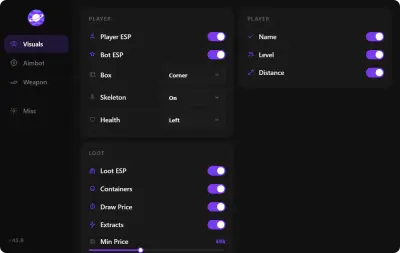
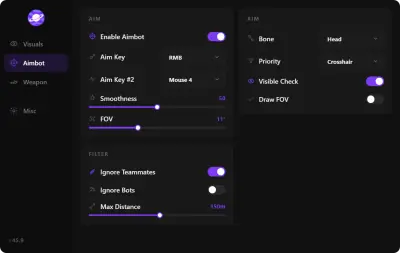
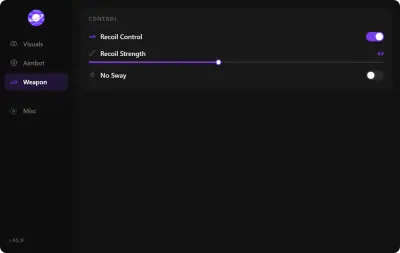
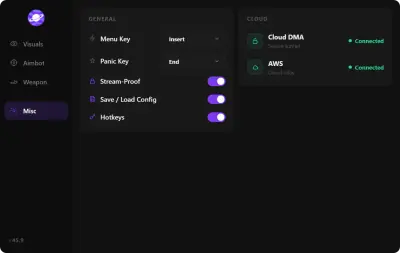
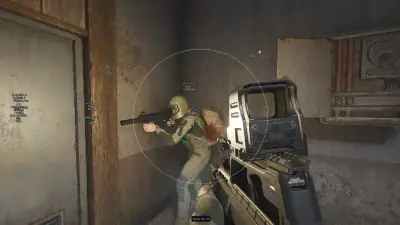
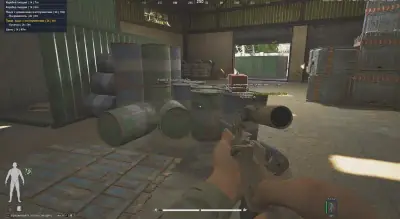
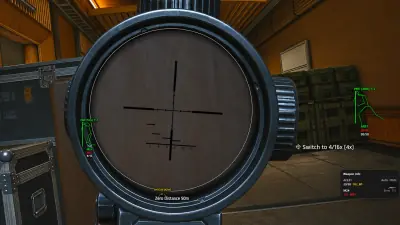
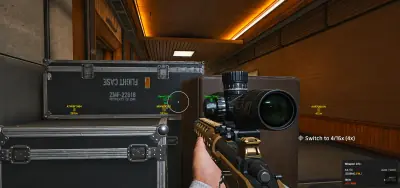
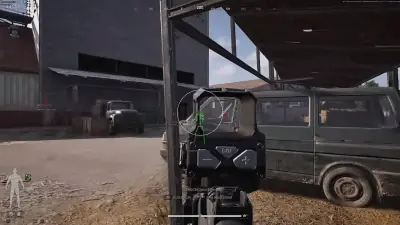
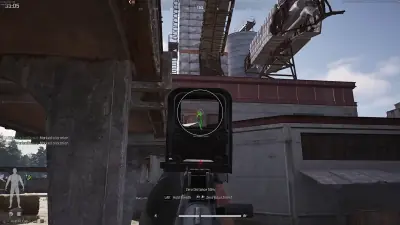
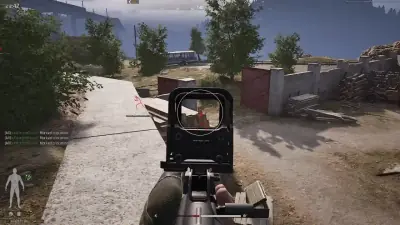
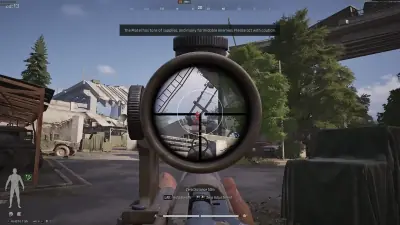
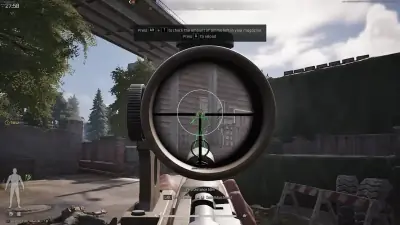
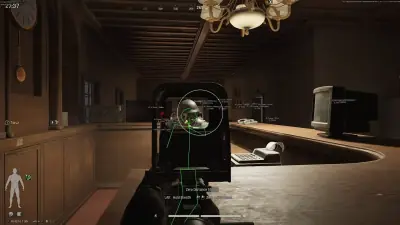
The shots above are the ABI menu: combat modules, world overlays, and misc. The notes below explain each group and how the portal opens after checkout.
In-client layers
- Layer A
Visuals tab
Player and AI ESP toggles with health bars, weapon type, and team index in one panel.
- Layer B
Aimbot tab
FOV, smoothness, bone selection, and ignore-knocked options for operator fights.
- Layer C
Weapon misc
Recoil and spread helpers grouped beside combat-mode switches.
- Layer D
Misc & configs
Crosshair overlay, panic key, and named config profiles for each map.
- Layer E
Phoenix raid
Operator ESP at medium range during an extraction push.
- Layer F
Street fight
Snaplines and inventory value hints before committing to a push.
- Layer 7
Long sightline
Soft-aim and prediction matter on Valley-style corridors.
- Layer 8
Loot routing
Minimum price filter keeps low-tier junk off the overlay during a farm run.
- Layer 9
Live overlay
Combined combat and economy reads in one raid session.
- Layer 10
CQB angle
Tight FOV aim assist with skeleton ESP in close quarters.
- Layer 11
Outdoor contact
Separate colors for AI militants and human operators before you break cover.
- Layer 12
Corpse loot
Corpse ESP shows whether a body is worth the inventory space.
- Layer 13
Night raid
Combat mode toggle hides world ESP when you only need aim assist.
- Layer 14
Deploy ready
Check the build label before loading into a ranked extraction.
More products
Pairs well with
Utilities sold beside the cheat. Each one keeps a separate page.
- HWID Spoofer After a hardware flag, this license rewrites disk serials, MAC addresses, GPU IDs, and related fingerprints ACE may collect. Trace cleanup is in the same license. View details: HWID Spoofer
- Cloud DMA Cloud DMA can also require GREENWARD, Static Server, and AWS, each bought on its own. Read that list on the Cloud DMA page before you order. View details: Cloud DMA
- Skin Changer A small client previews weapon skins, outfits, and pack visuals on your screen. The look stays on this PC and is not written into your live inventory. View details: Skin Changer
FAQ
Questions about this page
Answers for this page. The FAQ page holds the rest.
Blog
Related guides
Filter by topic for cheat modules, Cloud DMA, HWID tools, and error codes.
Aimbot, player ESP, wallhack, loot ESP, loot radar, and no recoil in one Arena Breakout cheat menu.
Aimbot sets FOV, smoothness, and a visible check. Triggerbot only fires. No recoil is separate.
Player ESP and wallhack draw boxes, skeletons, and snaplines through cover.
Loot ESP marks containers, corpses, and item value on the cheat overlay.
Radar and ESP are sometimes grouped together in cheat advertisements.
No recoil compensates weapon kick. It does not aim and it is not ESP.
ABI read-only threads
Read discussion
Read-only answers on Arena Breakout Cheats, aimbot, ESP, Cloud DMA, HWID panels, and ACE. Each answer points at a longer note.
- ACE & Bans What undetected means on today's ABI build Undetected is a snapshot, not a promise. Read the label like weather.
- Aimbot & Soft Aim Smoothness curves that do not snap on ABI recoil High smoothing values fight the game aim assist. Find a band that tracks T7 recoil without teleporting.
- ESP & Loot Tuning ESP loot filters without painting the whole map Color noise gets you reported even when ACE stays quiet. Filter by tier, container type, and distance.
- Aimbot & Soft Aim Soft aim versus full lock in CQB extractions Full lock wins duels and loses accounts. Soft aim trades peak DPS for believable tracking.